> ## Documentation Index
> Fetch the complete documentation index at: https://nightwatch.laravel.com/docs/llms.txt
> Use this file to discover all available pages before exploring further.
# Changelog
> New updates and improvements to Laravel Nightwatch
## Investigate Performance Issues with MCP
The Nightwatch MCP server now supports performance issues in addition to exceptions. When retrieving an issue, your assistant receives precise timing data—including route duration, query times, and job execution metrics—so it can pinpoint bottlenecks and guide agentic coding workflows toward targeted performance improvements.
Learn more about our [MCP server](/mcp-server).
## Custom Webhooks
Nightwatch now supports custom webhooks. Configure webhooks to receive HTTP POST notifications whenever events occur in your application. Set up your own integrations or build custom systems around the issues and events that Nightwatch detects.
Learn more about [webhooks](/webhooks).
## Filter Queries by Database Connection
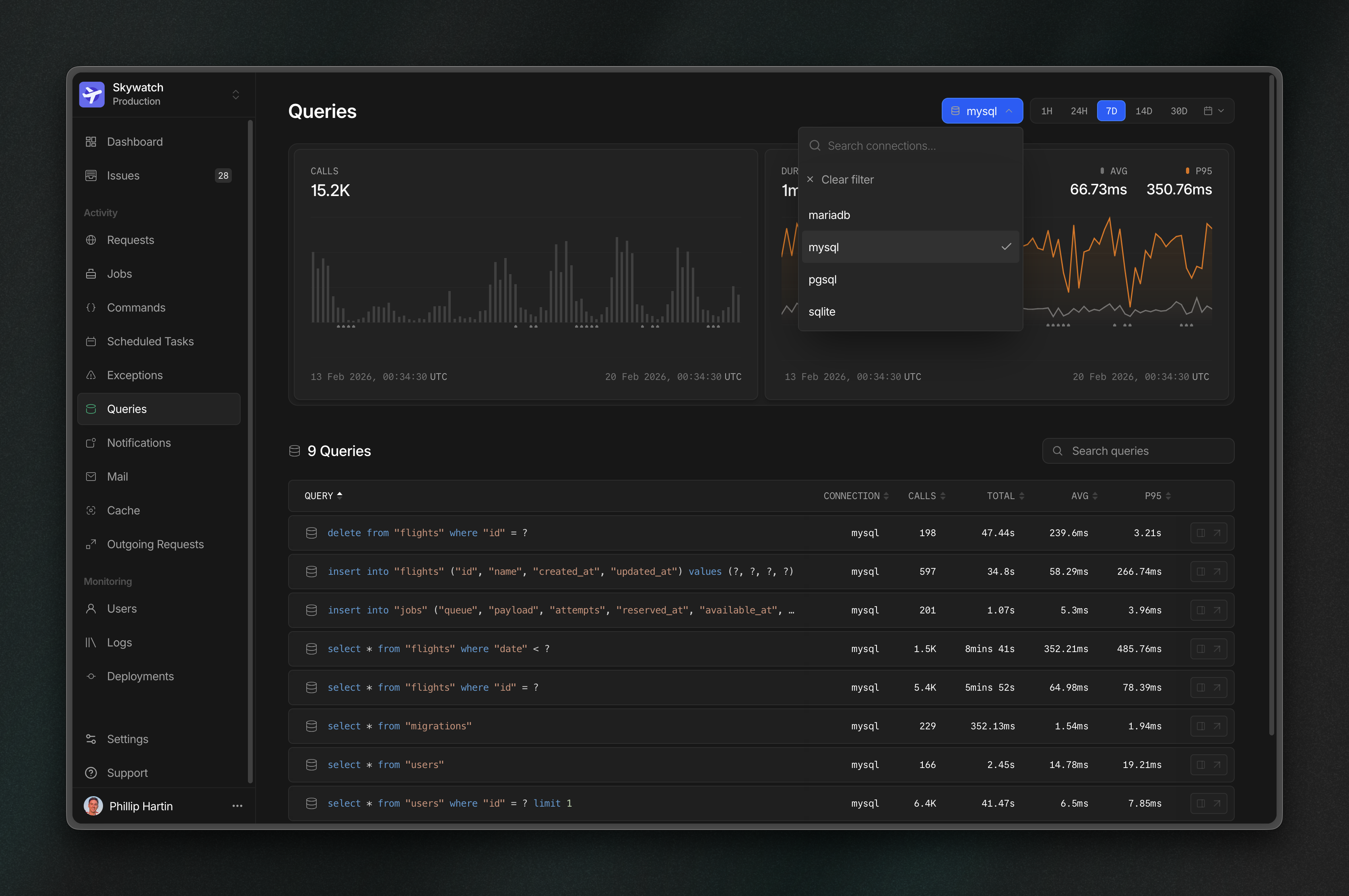 Pinpoint problem queries faster by narrowing results to a single database connection.
## MCP Server
Pinpoint problem queries faster by narrowing results to a single database connection.
## MCP Server
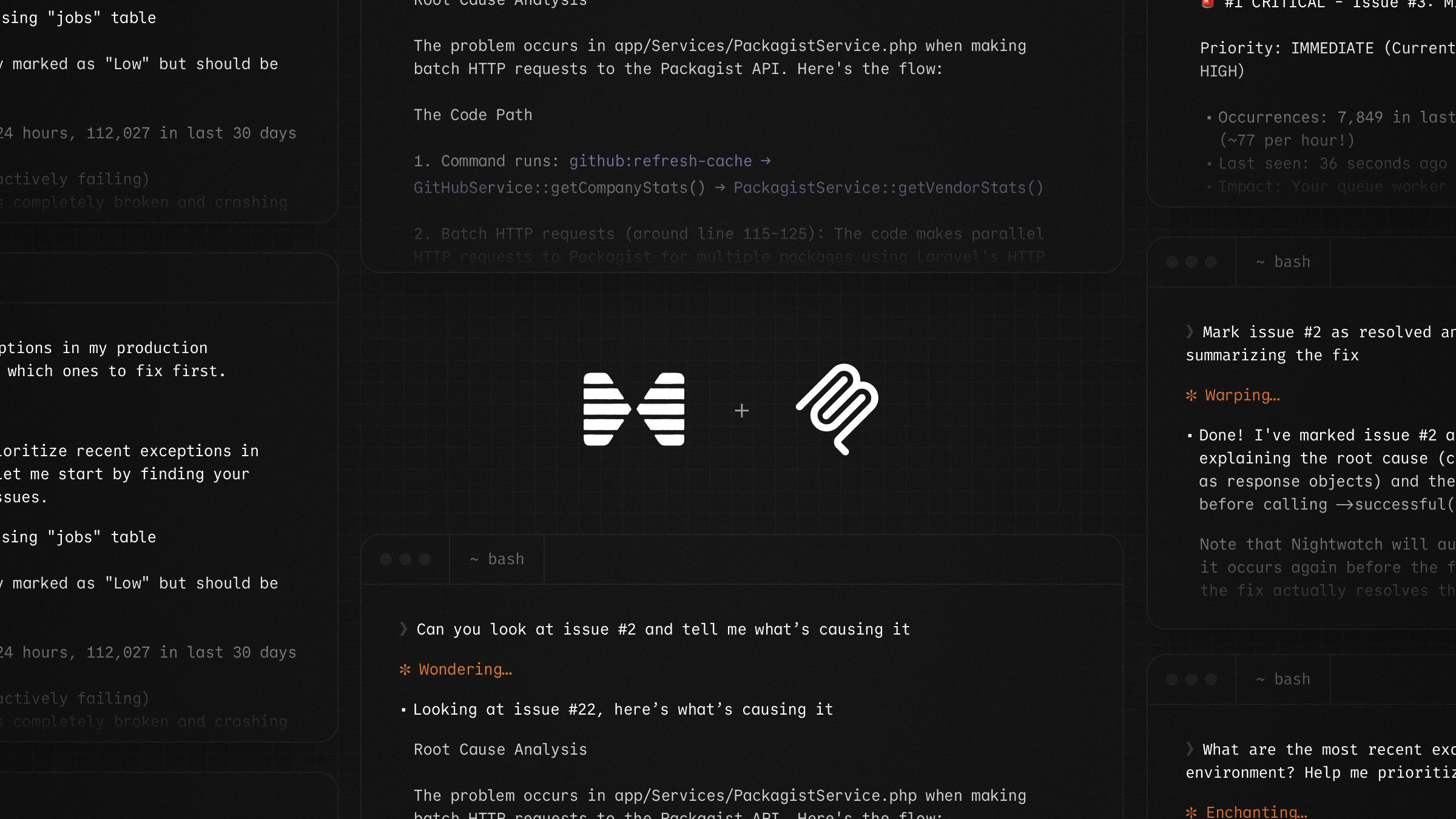 Connect your AI assistant directly to Nightwatch using our MCP server. Your assistant can list applications, browse and triage issues, view full stack traces, update issue statuses, and add comments, all from within your editor or terminal.
Learn more about our [MCP server](/mcp-server).
## Linear Integration
Connect your AI assistant directly to Nightwatch using our MCP server. Your assistant can list applications, browse and triage issues, view full stack traces, update issue statuses, and add comments, all from within your editor or terminal.
Learn more about our [MCP server](/mcp-server).
## Linear Integration
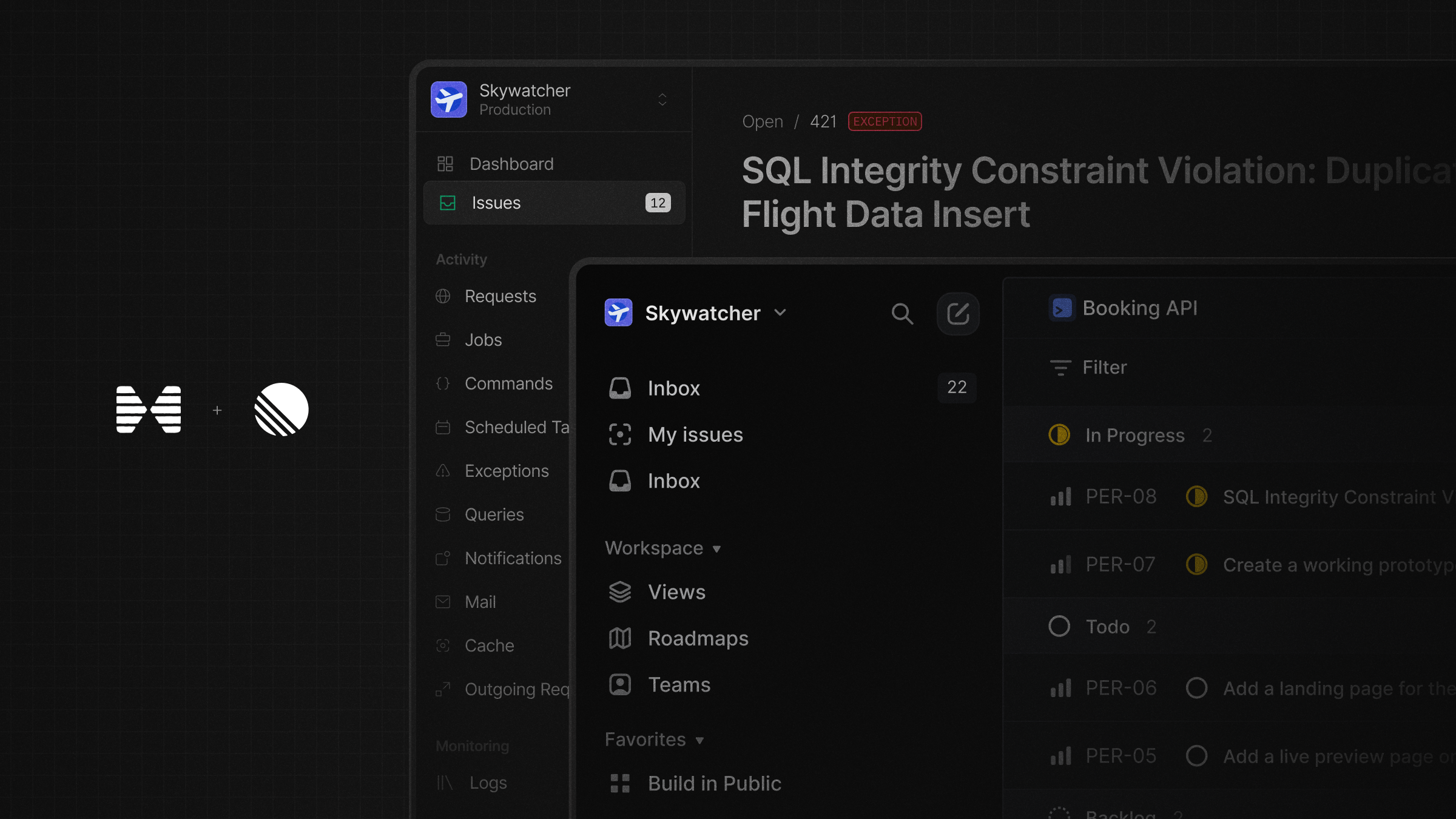 Create and link Linear issues directly from Nightwatch. Connect your Linear workspace from your organization settings, then optionally map Nightwatch applications to Linear teams so new issues are routed to the right team by default.
Learn more about our [Linear integration](/linear).
## Sort by Issue Occurrences and more
Create and link Linear issues directly from Nightwatch. Connect your Linear workspace from your organization settings, then optionally map Nightwatch applications to Linear teams so new issues are routed to the right team by default.
Learn more about our [Linear integration](/linear).
## Sort by Issue Occurrences and more
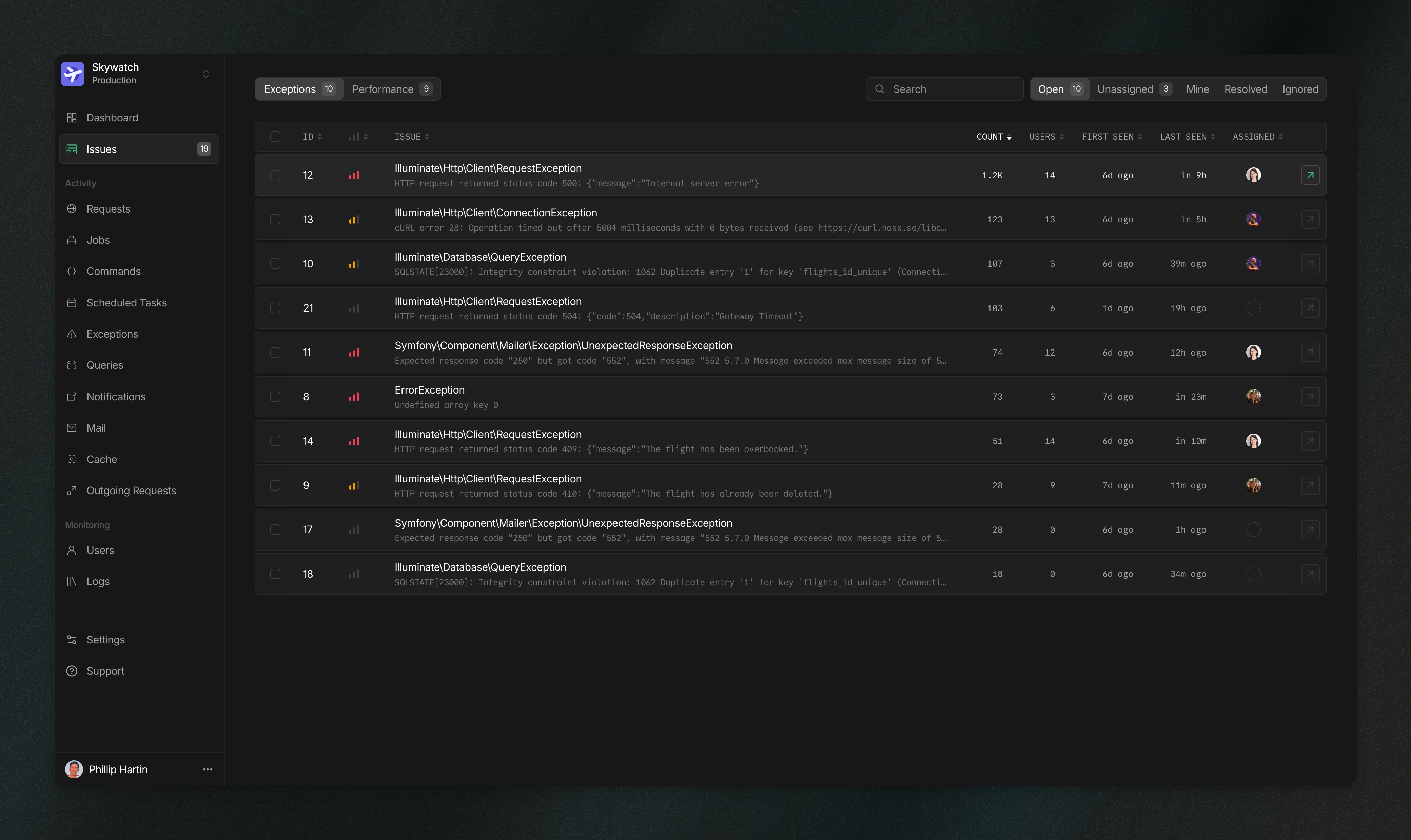 Exception and performance issues now have their own dedicated spaces. The issue list displays the occurrence count for each issue, letting you sort by the most impactful. We've also surfaced the exception class and message directly in the list view, along with some design updates to make everything more user-friendly.
## Filter by User
Exception and performance issues now have their own dedicated spaces. The issue list displays the occurrence count for each issue, letting you sort by the most impactful. We've also surfaced the exception class and message directly in the list view, along with some design updates to make everything more user-friendly.
## Filter by User
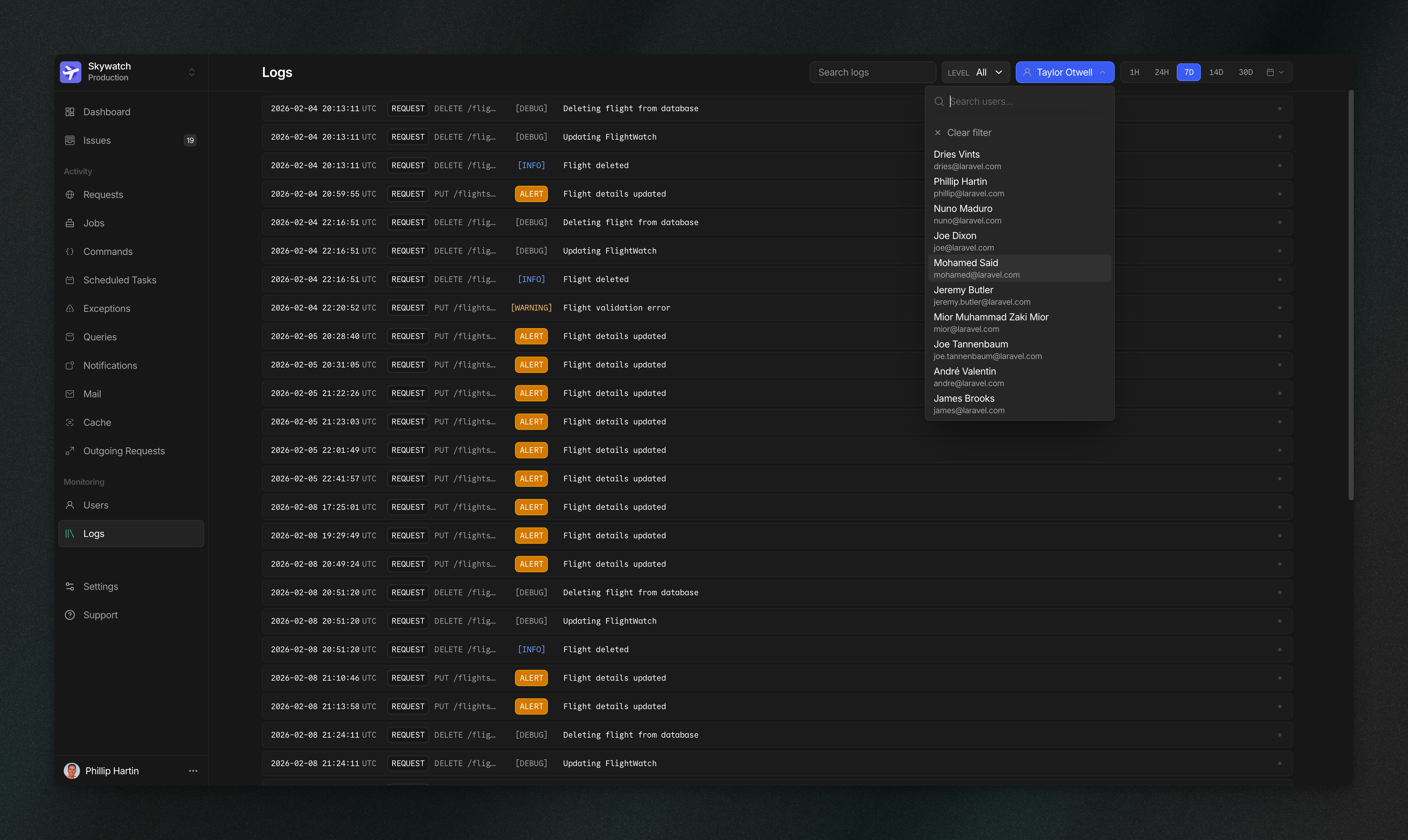 You can now filter requests, jobs, exceptions, and logs by individual users. Each page has filtering built in, with shortcuts available directly from the user detail view.
## Issue Description Generator
You can now filter requests, jobs, exceptions, and logs by individual users. Each page has filtering built in, with shortcuts available directly from the user detail view.
## Issue Description Generator
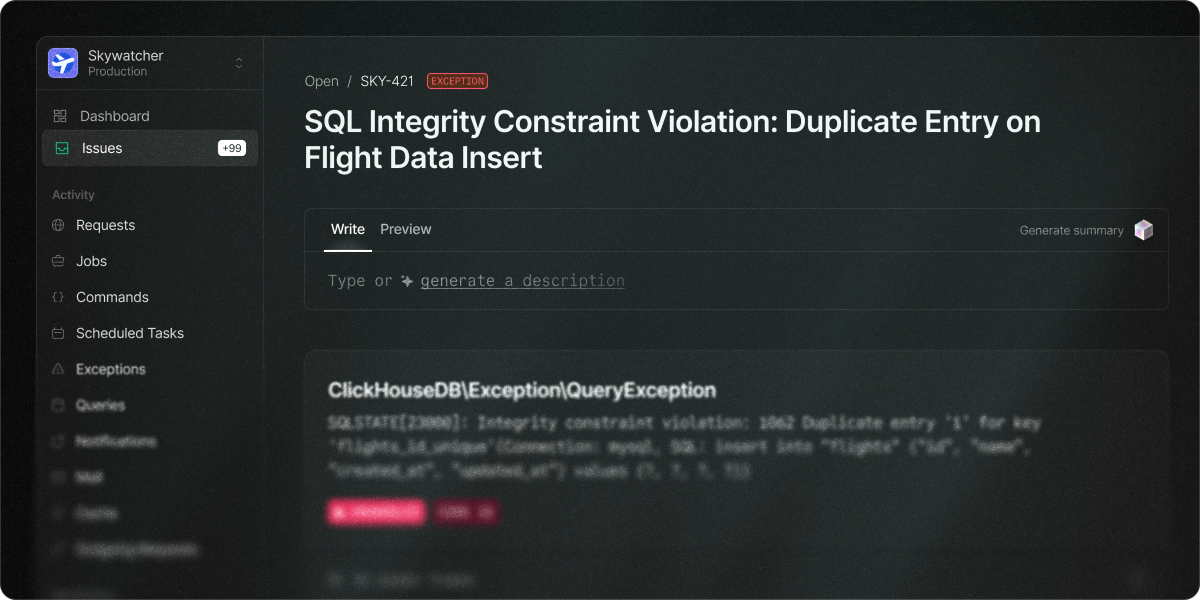 Automatically generate issue descriptions for exception issues using AI to analyze stack traces, error messages, and application context, providing your team with a clear overview, deeper insights into root causes, and actionable steps toward resolution.
Learn more about [exceptions in the documentation](https://nightwatch.laravel.com/docs/exceptions).
## Faster Exception Detection
Nightwatch now detects exceptions in real time, giving your team instant visibility into critical issues the moment they occur, rather than waiting for the next agent cycle.
## More Vendor Commands Are Ignored by Default
The following vendor commands are now ignored by default to reduce unwanted event consumption. These commands are either long-running by design or called frequently enough to consume a significant portion of your event quota.
* `auth:clear-resets`
* `config:cache`
* `horizon:snapshot`
* `horizon:status`
* `horizon:supervisor`
* `inertia:start-ssr`
* `invoke-serialized-closure`
* `model:prune`
* `nightwatch:agent`
* `nightwatch:status`
* `queue:monitor`
* `reverb:start`
* `schedule:list`
* `schedule:finish`
To enable the capture of these commands, call the `Nightwatch::captureDefaultVendorCommands()` method in a service provider.
Read more about [commands](https://nightwatch.laravel.com/docs/commands).
## Capturing the Database Connection Type per Query
Nightwatch now captures your database connection type when using separate [read and write connections](https://laravel.com/docs/database#read-and-write-connections), giving you complete visibility into your database operations.
## Sub-Minute Schedule Task Support
Capture and display the frequency of [sub-minute scheduled tasks](https://laravel.com/docs/scheduling#sub-minute-scheduled-tasks), ensuring even your most frequent operations are monitored with precision.
## Easily share AI-ready exception context
You can now copy exceptions as a structured Markdown snapshot, ready to share with your favorite AI tools. The snapshot includes relevant code excerpts and deeply detailed trace data, including the specific queries leading up to the error occurring.
## New Docs
We've rewritten our documentation from the ground up. The new docs cover all event types, how to configure sampling, filtering, and redaction for each, and include examples for common setups. More updates coming soon!
[Explore our updated docs](/start-guide)
## Issues Scoped to Environment
The Issues list now filters to your selected environment, helping you focus on the problems most relevant to your current context. The Issues list all other environments that were impacted.
## Enforceable 2FA for Organization
Organizations can now require two-factor authentication for all team members. When enabled, users must set up 2FA before accessing organization data. You can enable this from Organization Settings.
## Enhanced Log Context
Automatically generate issue descriptions for exception issues using AI to analyze stack traces, error messages, and application context, providing your team with a clear overview, deeper insights into root causes, and actionable steps toward resolution.
Learn more about [exceptions in the documentation](https://nightwatch.laravel.com/docs/exceptions).
## Faster Exception Detection
Nightwatch now detects exceptions in real time, giving your team instant visibility into critical issues the moment they occur, rather than waiting for the next agent cycle.
## More Vendor Commands Are Ignored by Default
The following vendor commands are now ignored by default to reduce unwanted event consumption. These commands are either long-running by design or called frequently enough to consume a significant portion of your event quota.
* `auth:clear-resets`
* `config:cache`
* `horizon:snapshot`
* `horizon:status`
* `horizon:supervisor`
* `inertia:start-ssr`
* `invoke-serialized-closure`
* `model:prune`
* `nightwatch:agent`
* `nightwatch:status`
* `queue:monitor`
* `reverb:start`
* `schedule:list`
* `schedule:finish`
To enable the capture of these commands, call the `Nightwatch::captureDefaultVendorCommands()` method in a service provider.
Read more about [commands](https://nightwatch.laravel.com/docs/commands).
## Capturing the Database Connection Type per Query
Nightwatch now captures your database connection type when using separate [read and write connections](https://laravel.com/docs/database#read-and-write-connections), giving you complete visibility into your database operations.
## Sub-Minute Schedule Task Support
Capture and display the frequency of [sub-minute scheduled tasks](https://laravel.com/docs/scheduling#sub-minute-scheduled-tasks), ensuring even your most frequent operations are monitored with precision.
## Easily share AI-ready exception context
You can now copy exceptions as a structured Markdown snapshot, ready to share with your favorite AI tools. The snapshot includes relevant code excerpts and deeply detailed trace data, including the specific queries leading up to the error occurring.
## New Docs
We've rewritten our documentation from the ground up. The new docs cover all event types, how to configure sampling, filtering, and redaction for each, and include examples for common setups. More updates coming soon!
[Explore our updated docs](/start-guide)
## Issues Scoped to Environment
The Issues list now filters to your selected environment, helping you focus on the problems most relevant to your current context. The Issues list all other environments that were impacted.
## Enforceable 2FA for Organization
Organizations can now require two-factor authentication for all team members. When enabled, users must set up 2FA before accessing organization data. You can enable this from Organization Settings.
## Enhanced Log Context
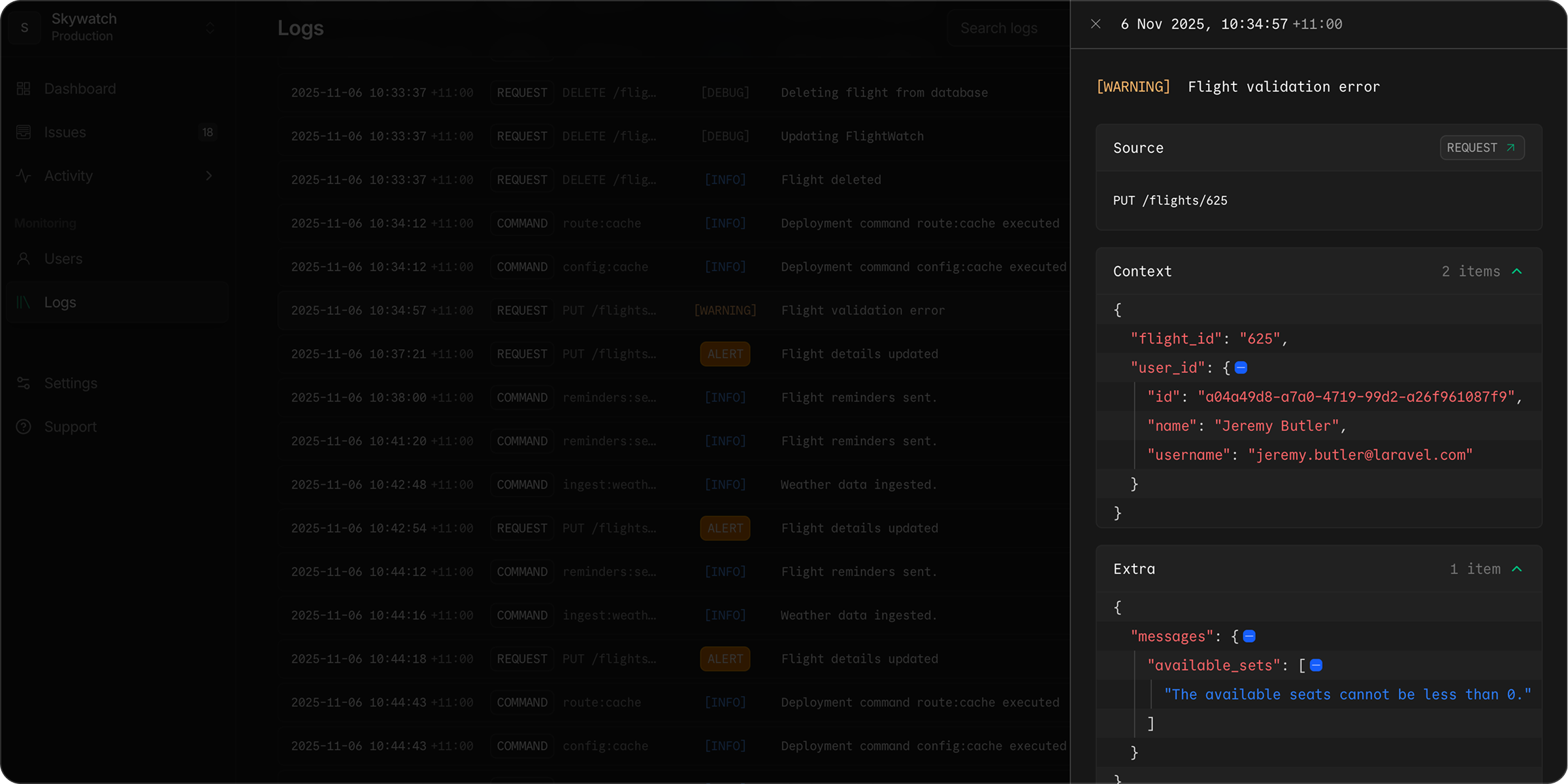 Log entries now support the full range of contextual data available in Laravel. Click any entry to open the details drawer and explore the [Log Context and Extra](/logs#log-context) payloads.
## New redaction methods
Nightwatch now includes additional redaction hooks, letting you filter sensitive data from raw database queries, exception messages, mail subjects, and more.
Upgrade to [v1.18.0](https://github.com/laravel/nightwatch/releases/tag/v1.18.0) or later, and see the [redaction guide](/filtering#redaction) for details.
## Capturing Request Payloads on Unhandled Exceptions
{" "}
Log entries now support the full range of contextual data available in Laravel. Click any entry to open the details drawer and explore the [Log Context and Extra](/logs#log-context) payloads.
## New redaction methods
Nightwatch now includes additional redaction hooks, letting you filter sensitive data from raw database queries, exception messages, mail subjects, and more.
Upgrade to [v1.18.0](https://github.com/laravel/nightwatch/releases/tag/v1.18.0) or later, and see the [redaction guide](/filtering#redaction) for details.
## Capturing Request Payloads on Unhandled Exceptions
{" "}
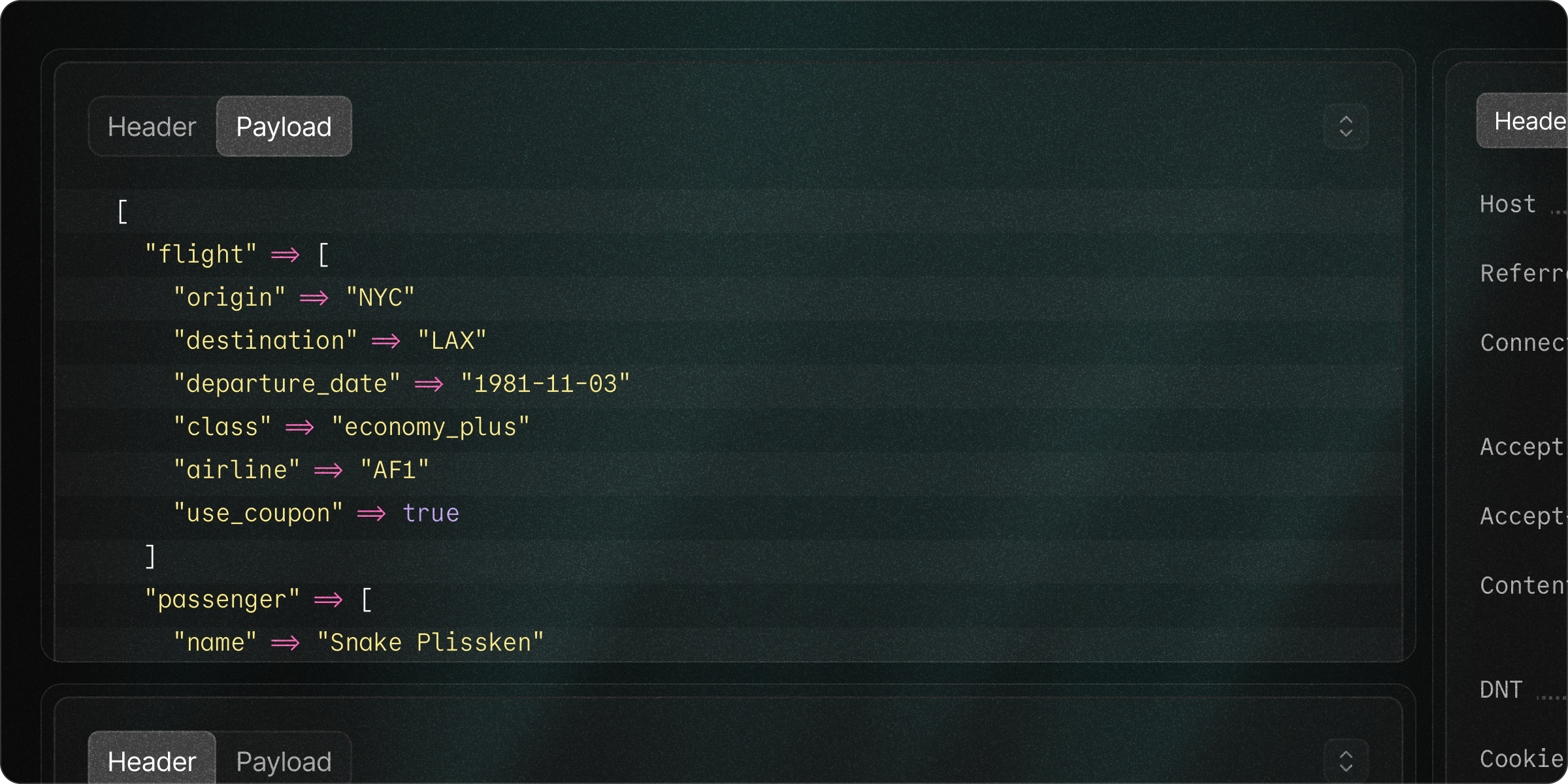 Nightwatch can now capture the request body when an unhandled exception occurs, providing deeper context into what triggered the error. This feature is **disabled by default** and can be enabled via configuration. Sensitive fields are automatically **redacted** to protect user data, and the list of fields can be fully customized.
Upgrade to [v1.17](https://github.com/laravel/nightwatch/releases/tag/v1.17.0) or later and learn more about enabling request payload capture and redacting sensitive fields. See the [GitHub package documentation](https://github.com/laravel/nightwatch) for configuration details.
## Smarter Defaults for Framework Cache Events
We now automatically ignore low-value framework cache events by default. This change helps reduce unnecessary noise, improving your signal-to-noise ratio, and significantly lowering event usage for most applications.
If you rely on these framework cache events for deeper debugging, [you can easily opt back in](https://github.com/laravel/nightwatch).
Upgrade the Nightwatch package to [v1.16.0](https://github.com/laravel/nightwatch/releases/tag/v1.16.0) or later to benefit from these improvements.
## SOC 2 Type 1 Compliance
{" "}
Nightwatch can now capture the request body when an unhandled exception occurs, providing deeper context into what triggered the error. This feature is **disabled by default** and can be enabled via configuration. Sensitive fields are automatically **redacted** to protect user data, and the list of fields can be fully customized.
Upgrade to [v1.17](https://github.com/laravel/nightwatch/releases/tag/v1.17.0) or later and learn more about enabling request payload capture and redacting sensitive fields. See the [GitHub package documentation](https://github.com/laravel/nightwatch) for configuration details.
## Smarter Defaults for Framework Cache Events
We now automatically ignore low-value framework cache events by default. This change helps reduce unnecessary noise, improving your signal-to-noise ratio, and significantly lowering event usage for most applications.
If you rely on these framework cache events for deeper debugging, [you can easily opt back in](https://github.com/laravel/nightwatch).
Upgrade the Nightwatch package to [v1.16.0](https://github.com/laravel/nightwatch/releases/tag/v1.16.0) or later to benefit from these improvements.
## SOC 2 Type 1 Compliance
{" "}
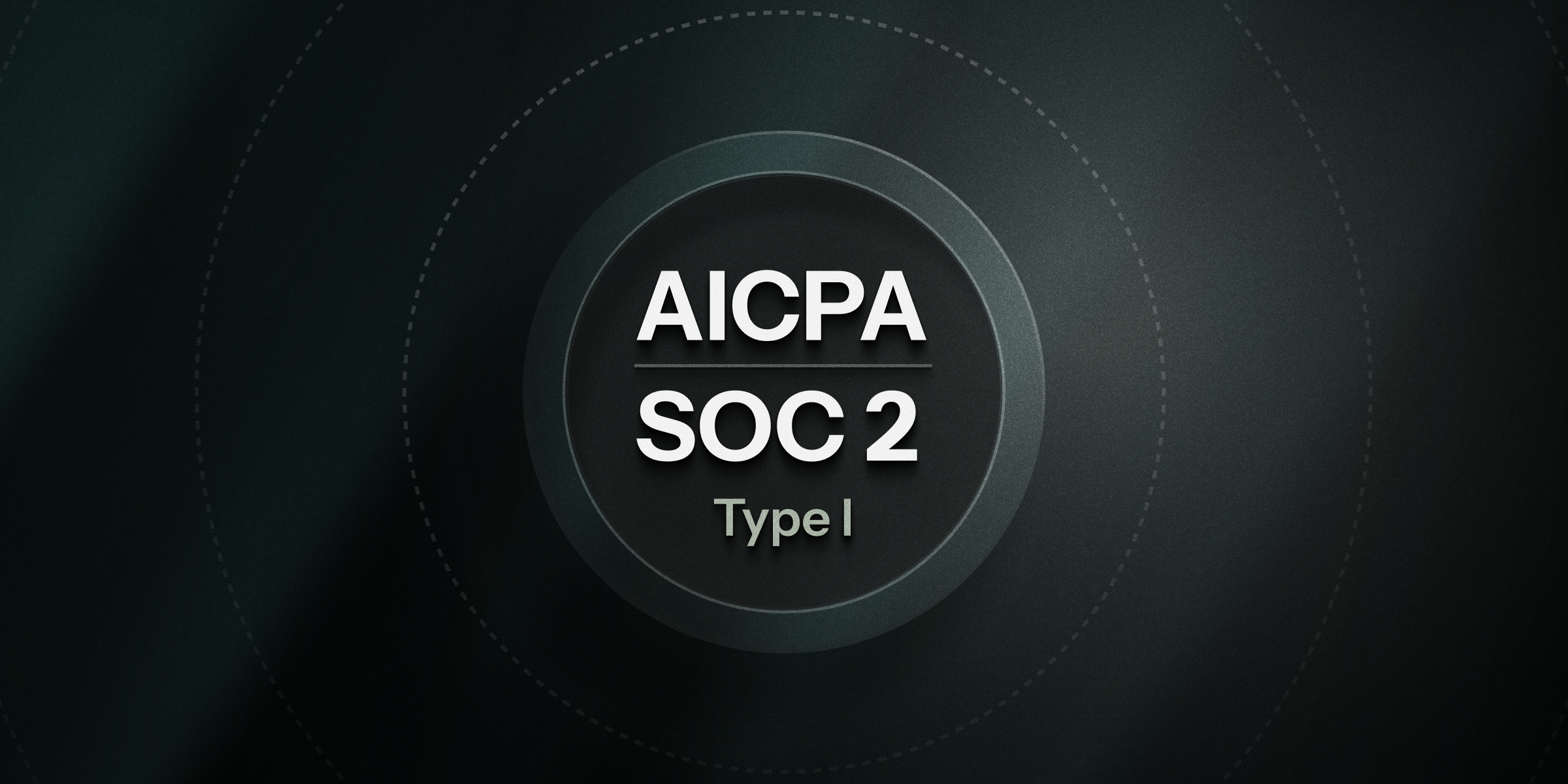 We've [achieved SOC 2 Type 1 certification for Nightwatch](https://laravel.com/blog/laravel-nightwatch-achieves-soc-2-type-1-certification).
Type 1 compliance ensures that Nightwatch's security and data protection controls
are properly designed, providing robust security practices to protect your data.
[Request our SOC 2 Type 1 compliance report](https://trust.laravel.com/).
## Capturing Request Headers
When debugging in Nightwatch, you will now see the request headers for every incoming request. Sensitive values like cookies and authorization tokens are redacted by default, with full control to customize or extend the redaction list. See the [GitHub package documentation](https://github.com/laravel/nightwatch) for configuration details.
Upgrade the Nightwatch package to [v1.15.0](https://github.com/laravel/nightwatch/releases/tag/v1.15.0) to enable.
## Auto-resolve stale issues
{" "}
We've [achieved SOC 2 Type 1 certification for Nightwatch](https://laravel.com/blog/laravel-nightwatch-achieves-soc-2-type-1-certification).
Type 1 compliance ensures that Nightwatch's security and data protection controls
are properly designed, providing robust security practices to protect your data.
[Request our SOC 2 Type 1 compliance report](https://trust.laravel.com/).
## Capturing Request Headers
When debugging in Nightwatch, you will now see the request headers for every incoming request. Sensitive values like cookies and authorization tokens are redacted by default, with full control to customize or extend the redaction list. See the [GitHub package documentation](https://github.com/laravel/nightwatch) for configuration details.
Upgrade the Nightwatch package to [v1.15.0](https://github.com/laravel/nightwatch/releases/tag/v1.15.0) to enable.
## Auto-resolve stale issues
{" "}
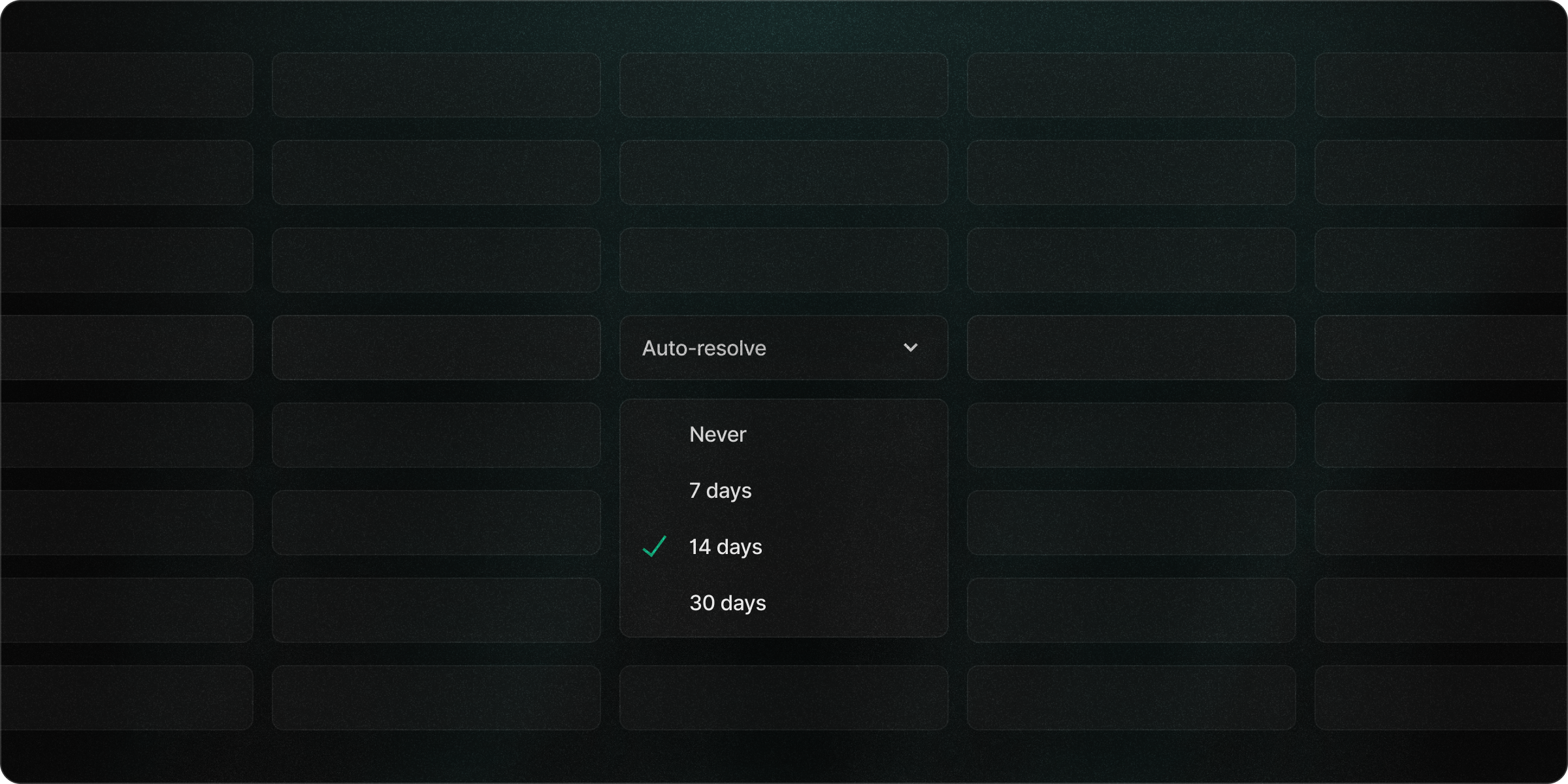 Nightwatch can now automatically resolve issues with no new activity after 7, 14,
or 30 days. This keeps your issue list focused on what's actively impacting your
apps. You can enable this from your application settings.
## Identify the user behind each job
Nightwatch now links queued jobs and their events, such as exceptions, back to the user that dispatched them. This lets you see the direct user impact of failing jobs and other errors, giving you a clear picture of how asynchronous activity affects your users. Update the Nightwatch package to [v1.14.0](https://github.com/laravel/nightwatch/releases/tag/v1.14.0) or later to get started.
## Sydney region now available
Nightwatch is now available in Sydney, our first Asia Pacific data center.
{" "}
Nightwatch can now automatically resolve issues with no new activity after 7, 14,
or 30 days. This keeps your issue list focused on what's actively impacting your
apps. You can enable this from your application settings.
## Identify the user behind each job
Nightwatch now links queued jobs and their events, such as exceptions, back to the user that dispatched them. This lets you see the direct user impact of failing jobs and other errors, giving you a clear picture of how asynchronous activity affects your users. Update the Nightwatch package to [v1.14.0](https://github.com/laravel/nightwatch/releases/tag/v1.14.0) or later to get started.
## Sydney region now available
Nightwatch is now available in Sydney, our first Asia Pacific data center.
{" "}
 Teams across APAC can enjoy faster ingestion and queries, while Australian organizations
gain compliance with local data sovereignty requirements.
[Learn more about our supported regions](/start-guide).
## Attach custom metadata with Laravel Context
{" "}
{" "}
Teams across APAC can enjoy faster ingestion and queries, while Australian organizations
gain compliance with local data sovereignty requirements.
[Learn more about our supported regions](/start-guide).
## Attach custom metadata with Laravel Context
{" "}
{" "}
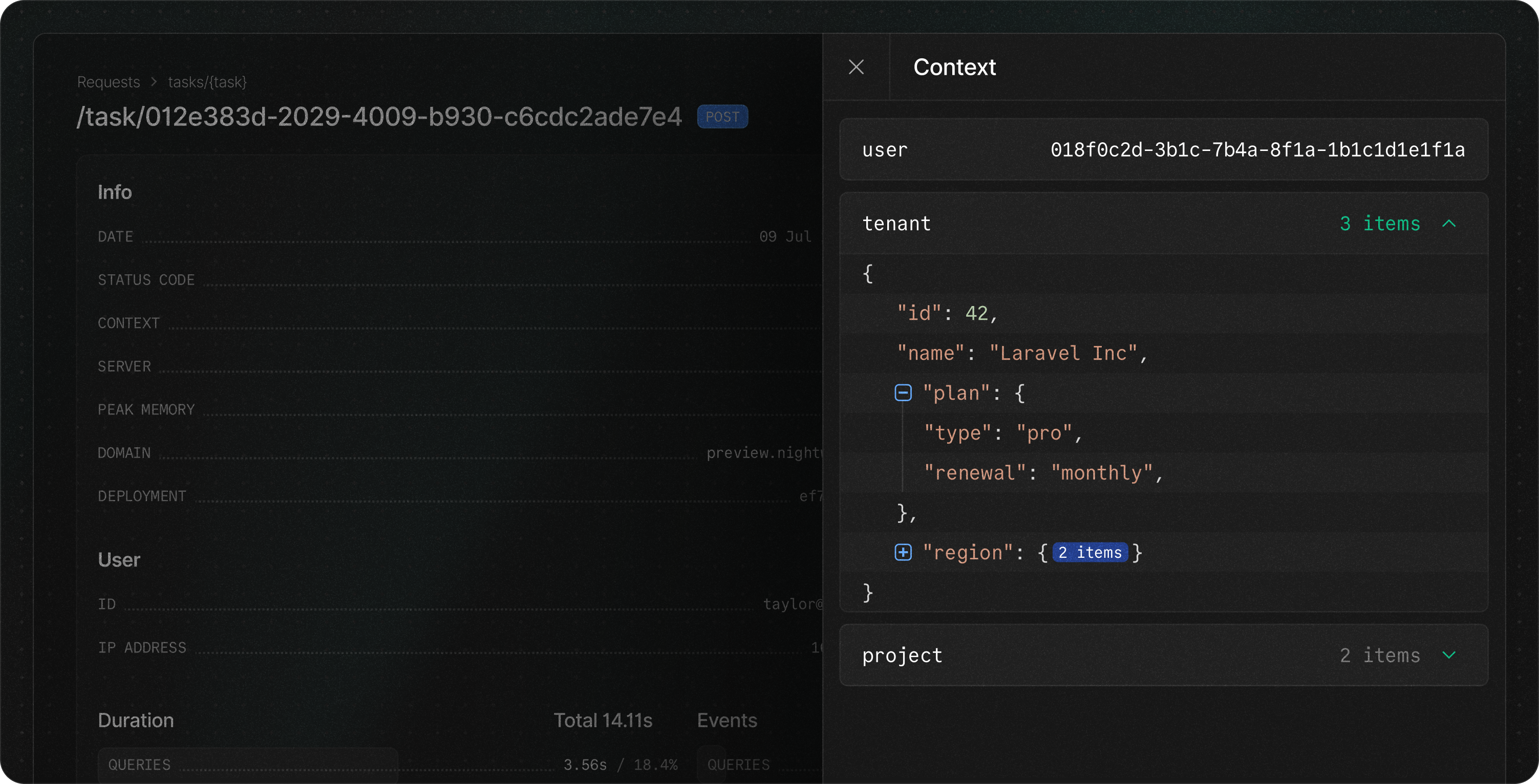 Nightwatch now integrates with Laravel Context to let you attach rich metadata to
each event, making it easier than ever to reproduce and debug issues. You can augment
requests or jobs with any extra details, such as user type, subscription plans, tenant
information, and active feature flags.
[Learn more about attaching metadata with Context](/context).
## Enhanced stack traces
{" "}
{" "}
Nightwatch now integrates with Laravel Context to let you attach rich metadata to
each event, making it easier than ever to reproduce and debug issues. You can augment
requests or jobs with any extra details, such as user type, subscription plans, tenant
information, and active feature flags.
[Learn more about attaching metadata with Context](/context).
## Enhanced stack traces
{" "}
{" "}
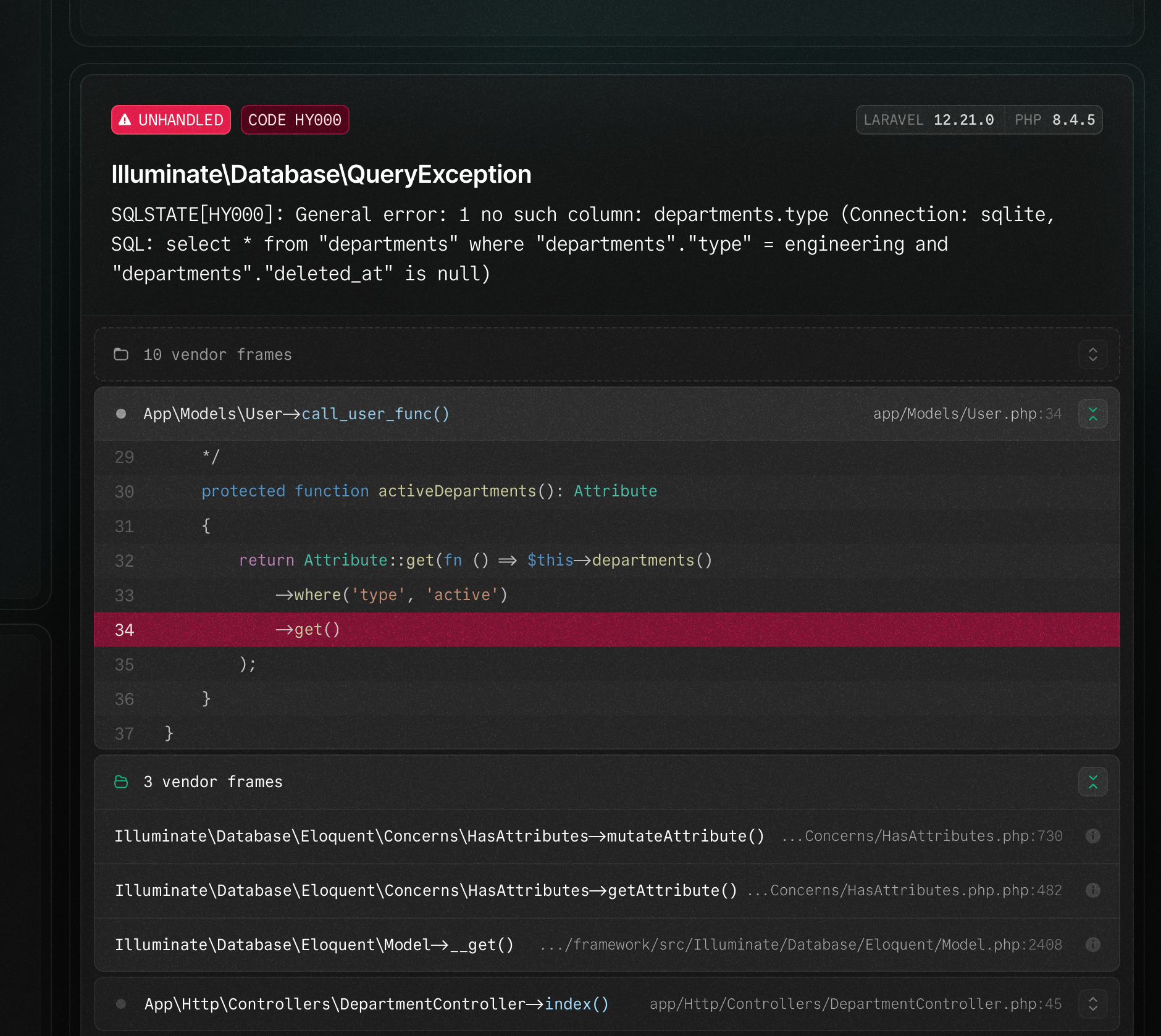 We've redesigned the exception viewer to surface the information you care about most.
Your application frames are now easier to distinguish from vendor frames and include
code snippets to provide you with the contextual information needed to pinpoint the
issue.
## Improved fatal error monitoring
We've enhanced fatal error capturing, including out-of-memory errors and max execution timeouts. By reserving a minimal amount of memory, we now ensure these fatal errors are successfully delivered to Nightwatch. To benefit from these improvements, upgrade the Nightwatch package to [v1.13.2](https://github.com/laravel/nightwatch/releases/tag/v1.13.2) or later.
## Light mode
{" "}
{" "}
We've redesigned the exception viewer to surface the information you care about most.
Your application frames are now easier to distinguish from vendor frames and include
code snippets to provide you with the contextual information needed to pinpoint the
issue.
## Improved fatal error monitoring
We've enhanced fatal error capturing, including out-of-memory errors and max execution timeouts. By reserving a minimal amount of memory, we now ensure these fatal errors are successfully delivered to Nightwatch. To benefit from these improvements, upgrade the Nightwatch package to [v1.13.2](https://github.com/laravel/nightwatch/releases/tag/v1.13.2) or later.
## Light mode
{" "}
{" "}
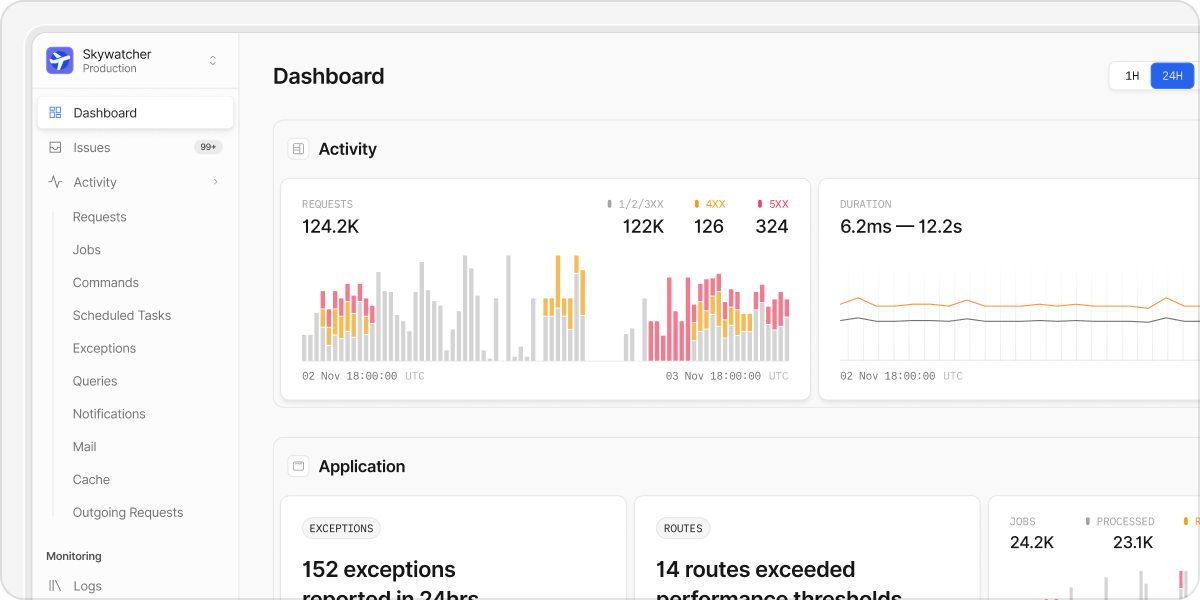 Light mode has arrived, bundled with a series of accessibility and usability improvements
for a cleaner, brighter workspace. Easily switch between light and dark mode in your
profile settings.
## Slack integration
{" "}
{" "}
Light mode has arrived, bundled with a series of accessibility and usability improvements
for a cleaner, brighter workspace. Easily switch between light and dark mode in your
profile settings.
## Slack integration
{" "}
{" "}
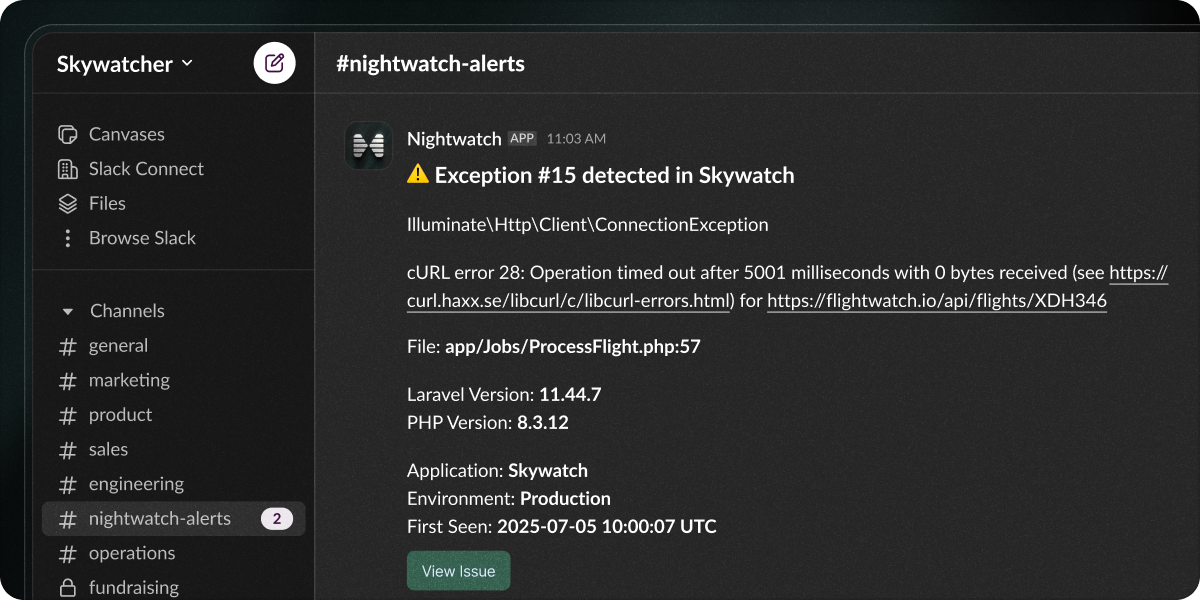 Get key updates directly in Slack with our latest integration. You can now receive
alerts for:
* New exceptions
* Performance threshold breaches
* Regressions to previously resolved issues
* Issue status changes
[View our integration setup guide](/slack).
## Issue management
{" "}
{" "}
Get key updates directly in Slack with our latest integration. You can now receive
alerts for:
* New exceptions
* Performance threshold breaches
* Regressions to previously resolved issues
* Issue status changes
[View our integration setup guide](/slack).
## Issue management
{" "}
{" "}
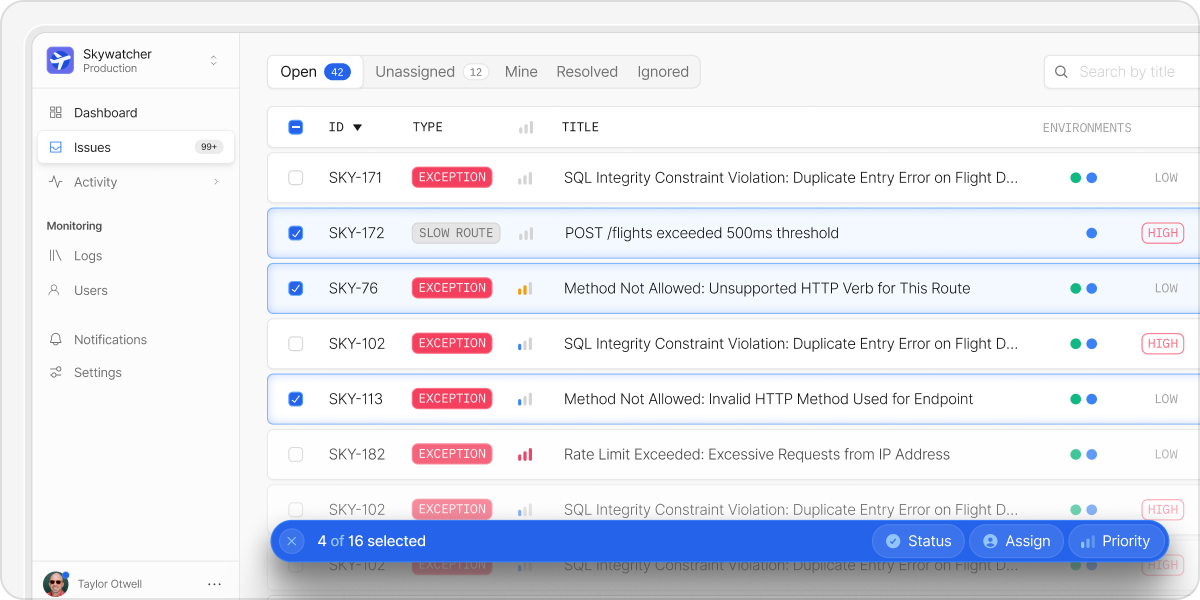 We've enhanced our issue management capabilities to streamline your workflow. Our
latest updates now allow you to perform bulk actions and assign users, priorities,
and statuses directly from the dashboard.
## Agent Docker image
{" "}
{" "}
We've enhanced our issue management capabilities to streamline your workflow. Our
latest updates now allow you to perform bulk actions and assign users, priorities,
and statuses directly from the dashboard.
## Agent Docker image
{" "}
{" "}
 We've released our official [Nightwatch Agent Docker Image](https://hub.docker.com/r/laravelphp/nightwatch-agent)
making it simpler than ever to monitor Laravel apps in containerized environments.
You can run the agent as a sidecar, background process, or agent service.
[Get started with our Docker image](/guides/docker).
## Lower cost for additional events
Building on our recent 50% event increase across all plans, we've also reduced the price of additional events across the board. This makes it easier and more affordable to scale up or debug your applications without interruption.
[Learn more about additional events](/additional-events).
## Laravel Octane support
{" "}
{" "}
{" "}
We've released our official [Nightwatch Agent Docker Image](https://hub.docker.com/r/laravelphp/nightwatch-agent)
making it simpler than ever to monitor Laravel apps in containerized environments.
You can run the agent as a sidecar, background process, or agent service.
[Get started with our Docker image](/guides/docker).
## Lower cost for additional events
Building on our recent 50% event increase across all plans, we've also reduced the price of additional events across the board. This makes it easier and more affordable to scale up or debug your applications without interruption.
[Learn more about additional events](/additional-events).
## Laravel Octane support
{" "}
{" "}
{" "}
 Laravel Octane is now fully supported by Nightwatch. Upgrade the Nightwatch package
to [v1.9.0](https://github.com/laravel/nightwatch/releases/tag/v1.9.0) or greater
to get started.
## Advanced sampling and filtering
{" "}
{" "}
{" "}
Laravel Octane is now fully supported by Nightwatch. Upgrade the Nightwatch package
to [v1.9.0](https://github.com/laravel/nightwatch/releases/tag/v1.9.0) or greater
to get started.
## Advanced sampling and filtering
{" "}
{" "}
{" "}
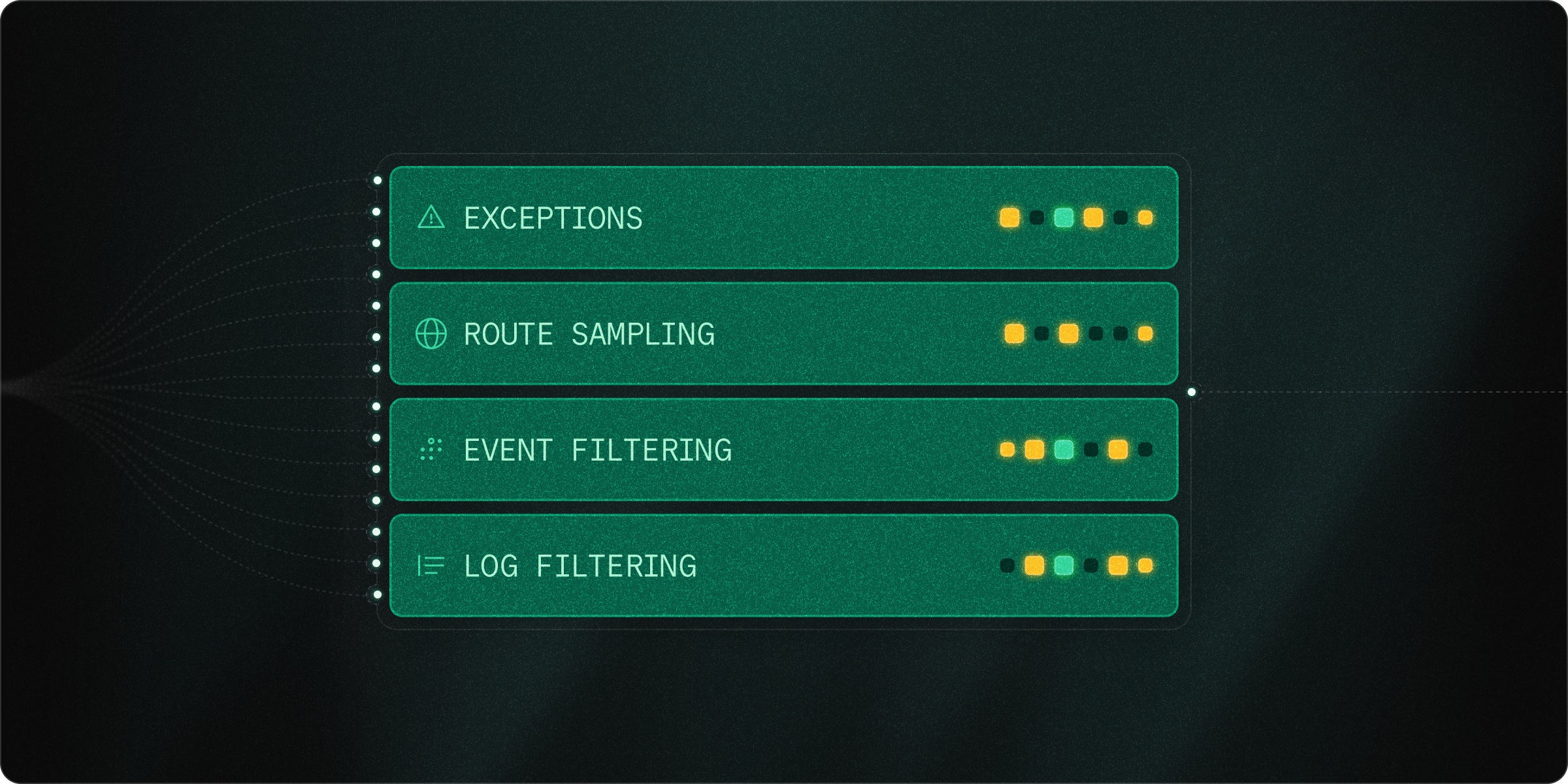 Nightwatch now supports advanced sampling and filtering options, allowing you to
customize which events are captured and which are excluded.
## Route sampling
The `Sample` middleware lets you apply custom sampling rates to specific routes or route groups within your application.
This is especially useful when you want to increase visibility on critical endpoints or reduce noise from high-traffic, low-value routes.
```php theme={null}
// web.php
use Illuminate\Support\Facades\Route;
use Laravel\Nightwatch\Http\Middleware\Sample;
// Applied to a single route
Route::get('/users', [UserController::class, 'index'])
->middleware(Sample::rate(0.8));
// Applied to a route group
Route::middleware(Sample::rate(0.2))->group(function () {
// ...
});
```
### Unmatched routes
The `Sample` middleware can also be applied to unmatched routes, useful for monitoring bot traffic.
```php theme={null}
// Applied to unmatched 404 routes
Route::fallback(fn () => abort(404))
->middleware(Sample::rate(0.1));
```
[Learn more about route-based sampling](/requests#route-based-sampling).
## Always capture exceptions
By default, Nightwatch will always capture exceptions, no matter what sampling rules are in place. This means that even if a request or job was sampled out, any exception that occurs forces the entire lifecycle to be recorded, ensuring you collect all the most important context leading up to that event.
If you want to disable this behavior and only capture exceptions when they occur on sampled routes, you can set the `NIGHTWATCH_EXCEPTION_SAMPLE_RATE` environment variable to `0`.
```bash theme={null}
NIGHTWATCH_EXCEPTION_SAMPLE_RATE=0
```
## Event filtering
In addition to sampling, you can filter out specific event types entirely. This allows you to focus your event allocation on the events that matter most to your application.
When an event type is filtered, it is completely excluded from the collection; no data will be sent to Nightwatch, and the event will not appear in your stream, traces, or usage metrics.
For example, if you want to ignore cache events, you can set the `NIGHTWATCH_IGNORE_CACHE_EVENTS` environment variable to `true`.
```bash theme={null}
NIGHTWATCH_IGNORE_CACHE_EVENTS=true
```
[View the full list of filterable event types](/filtering#filtering).
## Log-level filtering
By default, Nightwatch respects Laravel’s default logging behavior, but we have added a new environment variable to allow you to customize which logs are sent to Nightwatch.
```bash theme={null}
NIGHTWATCH_LOG_LEVEL=warning
```
This setting ensures that only logs at the specified level or higher (e.g., warning, error, critical) are sent to Nightwatch. Lower-level logs (e.g., info, debug) will be ignored.
[Learn more about log-level configuration](/logs#log-level-configuration).
## Introducing Nightwatch
{" "}
{" "}
{" "}
Nightwatch now supports advanced sampling and filtering options, allowing you to
customize which events are captured and which are excluded.
## Route sampling
The `Sample` middleware lets you apply custom sampling rates to specific routes or route groups within your application.
This is especially useful when you want to increase visibility on critical endpoints or reduce noise from high-traffic, low-value routes.
```php theme={null}
// web.php
use Illuminate\Support\Facades\Route;
use Laravel\Nightwatch\Http\Middleware\Sample;
// Applied to a single route
Route::get('/users', [UserController::class, 'index'])
->middleware(Sample::rate(0.8));
// Applied to a route group
Route::middleware(Sample::rate(0.2))->group(function () {
// ...
});
```
### Unmatched routes
The `Sample` middleware can also be applied to unmatched routes, useful for monitoring bot traffic.
```php theme={null}
// Applied to unmatched 404 routes
Route::fallback(fn () => abort(404))
->middleware(Sample::rate(0.1));
```
[Learn more about route-based sampling](/requests#route-based-sampling).
## Always capture exceptions
By default, Nightwatch will always capture exceptions, no matter what sampling rules are in place. This means that even if a request or job was sampled out, any exception that occurs forces the entire lifecycle to be recorded, ensuring you collect all the most important context leading up to that event.
If you want to disable this behavior and only capture exceptions when they occur on sampled routes, you can set the `NIGHTWATCH_EXCEPTION_SAMPLE_RATE` environment variable to `0`.
```bash theme={null}
NIGHTWATCH_EXCEPTION_SAMPLE_RATE=0
```
## Event filtering
In addition to sampling, you can filter out specific event types entirely. This allows you to focus your event allocation on the events that matter most to your application.
When an event type is filtered, it is completely excluded from the collection; no data will be sent to Nightwatch, and the event will not appear in your stream, traces, or usage metrics.
For example, if you want to ignore cache events, you can set the `NIGHTWATCH_IGNORE_CACHE_EVENTS` environment variable to `true`.
```bash theme={null}
NIGHTWATCH_IGNORE_CACHE_EVENTS=true
```
[View the full list of filterable event types](/filtering#filtering).
## Log-level filtering
By default, Nightwatch respects Laravel’s default logging behavior, but we have added a new environment variable to allow you to customize which logs are sent to Nightwatch.
```bash theme={null}
NIGHTWATCH_LOG_LEVEL=warning
```
This setting ensures that only logs at the specified level or higher (e.g., warning, error, critical) are sent to Nightwatch. Lower-level logs (e.g., info, debug) will be ignored.
[Learn more about log-level configuration](/logs#log-level-configuration).
## Introducing Nightwatch
{" "}
{" "}
{" "}
 Hyper-optimized and Laravel-native, it's the official application monitoring platform
for Laravel apps, giving you unparalleled insights into how your app performs in
the real world.
* Launched with U.S. and EU data residency, with more regions coming soon
* Open-sourced our [Nightwatch agent](https://github.com/laravel/nightwatch)
[Get started with Nightwatch](/start-guide).
Hyper-optimized and Laravel-native, it's the official application monitoring platform
for Laravel apps, giving you unparalleled insights into how your app performs in
the real world.
* Launched with U.S. and EU data residency, with more regions coming soon
* Open-sourced our [Nightwatch agent](https://github.com/laravel/nightwatch)
[Get started with Nightwatch](/start-guide).